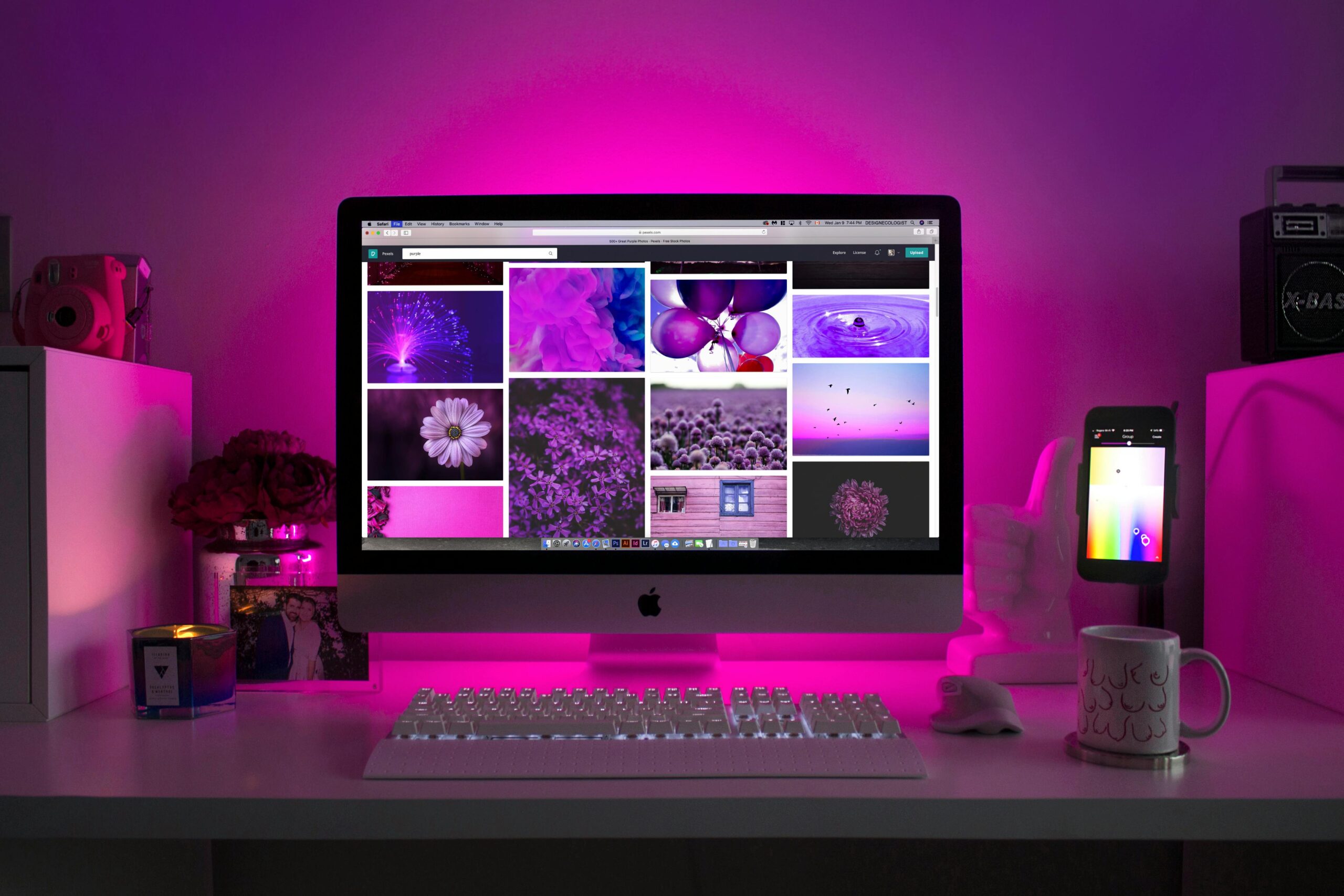
38 Common Website Problems and How to Fix Them

Creating and maintaining a successful website involves more than just great design and content. There are numerous technical and optimization issues that can arise, impacting your site’s performance, user experience, and search engine ranking. Here, we’ll discuss some of the most common problems we encounter with websites and how to address them. 1. Google Analytics Connection Problem: Not having Google Analytics properly connected can lead to a lack of insight into user behavior and site performance. Solution: Ensure Google Analytics is set up correctly by adding the tracking code to your website. Regularly check the connection to confirm data is being collected. 2. Search Console Connection Problem: Without Google Search Console, you miss out on essential insights into how Google indexes your site. Solution: Verify your site with Google Search Console to monitor search performance, indexing issues, and receive notifications about critical errors. 3. Bing Webmaster Tools Connection Problem: Similar to Search Console, not using Bing Webmaster Tools means missing out on search insights from Bing. Solution: Register and verify your site with Bing Webmaster Tools to track performance and troubleshoot issues specific to Bing’s search engine. 4. SEO Plugin Optimization Problem: SEO plugins not optimized can result in poor search engine rankings. Solution: Use and configure an SEO plugin like Yoast or Rank Math to optimize meta tags, sitemaps, and other SEO elements. 5. Google & Bing Marketing Tools Connection Problem: Not utilizing marketing tools from Google and Bing can limit your advertising reach and effectiveness. Solution: Connect your site to Google Ads and Microsoft Advertising for better campaign management and performance tracking. 6. Competitor Analysis Problem: Without competitor analysis, you lack insights into what others in your industry are doing. Solution: Use tools like SEMrush or Ahrefs to perform competitor analysis and identify opportunities to improve your own strategy. 7. Incorrect Pages in Sitemap Problem: Incorrect pages in your sitemap can lead to indexing issues. Solution: Regularly audit your sitemap to ensure it only includes relevant pages and is updated with changes. 8. Missing Meta Descriptions Problem: Pages without meta descriptions can have lower click-through rates from search results. Solution: Write unique, compelling meta descriptions for each page. 9. Duplicate Title Tags Issues Problem: Duplicate title tags can confuse search engines and dilute keyword relevance. Solution: Ensure each page has a unique title tag that accurately reflects its content. 10. Pages Have Duplicate Content Issues Problem: Duplicate content can harm your search engine ranking. Solution: Use canonical tags to indicate the preferred version of a page and avoid copying content across multiple pages. 11. Page Returned a 404 Status Code Problem: Pages returning 404 errors provide a poor user experience and can affect SEO. Solution: Regularly check for and fix broken links. Implement 301 redirects for removed pages. 12. Broken Internal Links Problem: Broken internal links disrupt navigation and can affect search engine crawling. Solution: Use tools to find and fix broken internal links regularly. 13. Unminified JavaScript and CSS Files Issues Problem: Unminified files can slow down page load times. Solution: Minify JavaScript and CSS files to improve site speed. 14. Low Text-HTML Ratio Problem: A low text-to-HTML ratio can signal a lack of content. Solution: Increase the amount of relevant text on your pages to provide more value to users and search engines. 15. Use Too Many JavaScript and CSS Files Problem: Excessive use of JavaScript and CSS files can slow down your site. Solution: Combine and minify these files where possible to streamline page loading. 16. Don’t Have an H1 Heading Problem: Missing H1 headings can make your content harder to understand for both users and search engines. Solution: Ensure every page has a unique H1 heading that accurately describes the content. 17. Images Don’t Have Alt Attributes Problem: Missing alt attributes on images can hinder accessibility and SEO. Solution: Add descriptive alt attributes to all images. 18. Outgoing Internal Links Contain No Follow Attribute Problem: No follow attributes on internal links can affect page authority distribution. Solution: Remove no follow attributes from internal links where appropriate. 19. Page Has Too Much Text Within the Title Tag Problem: Title tags that are too long may be truncated in search results. Solution: Keep title tags concise and within recommended character limits. 20. Duplicate H1 and Title Tags in Page Problem: Duplicate H1 and title tags can confuse search engines. Solution: Ensure each page has unique H1 and title tags. 21. Sitemap.xml Not Indicated in Robots.txt Problem: Not indicating your sitemap in the robots.txt file can lead to crawling issues. Solution: Include a link to your sitemap in the robots.txt file. 22. Orphaned Pages in Sitemaps Problem: Orphaned pages are not linked from anywhere else on your site, making them hard to find. Solution: Ensure all pages in your sitemap are linked from other pages. 23. URLs with a Permanent Redirect Problem: Permanent redirects can cause unnecessary redirects and slow down the user experience. Solution: Update links to point directly to the final URL. 24. Outgoing External Links Contain No Follow Attributes Problem: No follow attributes on external links can prevent search engines from passing authority. Solution: Use no follow attributes only where necessary and remove them from valuable links. 25. Only One Incoming Internal Link Problem: Pages with only one internal link may be considered less important by search engines. Solution: Increase internal linking to important pages. 26. Pages Are Blocked from Crawling Problem: Blocking pages from crawling can prevent them from being indexed. Solution: Review and update your robots.txt file to allow essential pages to be crawled. 27. Resources Are Formatted as Page Link Problem: Incorrectly formatted resources can cause navigation and indexing issues. Solution: Ensure resources are linked correctly and not mistaken for pages. 28. Issues with Blocked Internal Resources in Robots.txt Problem: Blocking internal resources can affect page rendering and indexing. Solution: Allow critical resources to be crawled in your robots.txt file. 29. Don’t Have Meta Descriptions Problem: Missing meta descriptions can reduce click-through rates. Solution: Add unique meta descriptions to all


Read More

How To Choose A Web Design Company : 6 Tips To Help You

There are more than 180,000 web designers and firms present in the United States alone. That is more than the population of Bermuda and Cayman combined. With so many designers in the market, how to choose a web design company for your business becomes important. Here are six tips that will help you narrow down options. How to choose a web design company: Set a Budget for Yourself When you are setting a budget is it important to note that you don’t have to randomly decide on it. Make sure to include factors like – whether can your business afford it, whether it is okay to invest in it for now and so on. For example, if your overall marketing budget is around $10,000 and you want to spend 25% of it on your website, your starting point should be $2,500. Even though it is okay to find and look for cheaper alternatives. It is recommended to look for one that is closer to your spending limit so that for your pricing range you can lock in the highest quality service possible. Get their pricing  It is best to get the pricing information right at the start. Some companies and developers charge too much. However, you don’t need to worry as now you have more than 10,000 to choose from. Also, other web developers charge extremely inexpensive rates. This is an indication that they do minor alterations to the existing website templates. It is okay for you if you are looking for only minor changes. However, if you are looking for a customer-designed product or a complete website makeover then you should opt for an expensive one. Here is mainly what they charge for Changes to the original design partway through the design process Adding additional widgets and other design features  Troubleshooting issues with the sites. If the pricing of the web designs or company’s service is again within your budget, then you should go ahead to the next step. How to choose a web design company: Look For Case Studies  Case studies serve as a powerful guide to figuring out what type of site you want. Here are a few ways of leveraging case studies that will help you trim down your web designer choices: Visit a web designer or the firm’s website and look for case studies and examples they have posted. If you are happy with what they have done with others, you can choose them. Search on the internet for case studies that match your business website type. If you have a restaurant chain when you should look for “restaurant website case studies‘ or “restaurant website ideas ‘. When you are interviewing web designers, you can ask them to provide you with case studies of past clients in the respective industry. From there you can draw hints and ideas of the web designer’s knowledge and expertise in the industry. Now you need to widen your case study search with your marketing goals. Like, if you want to establish a profitable eCommerce business then you should look for case studies and examples of companies that have already developed successful eCommerce Sites. Once you have found a few case studies that apply to your sector or marketing objectives, you can present them to your web designers or firm and ask them if this is what you are looking for. How to choose a web design company: Examine their client retention rate  The company’s client retention rate is one of the best indicators of service quality. If a client has done business with one company over multiple years, then that is an impressive degree of customer loyalty. Over a few years, a lot can happen, so if a company can retain their customer for a longer time then they might have helped them overcome some significant challenges. The ability to adapt to changing circumstances is invaluable. However, if a web design company or designer has been around for a while and has not been able to retain customers for more than a year it indicates a lack of customer confidence. Therefore by analyzing a designer’s client retention ability, you can understand their service quality. A simple way of finding out a company’s retention rate is to ask the company. Remember, asking an honest and hard question can help to choose seriously about hiring or moving to the next option. How to choose a web design company: Find Out who will be responsible for your site  By finding out, you will handle your website or account and you can directly connect with that person and get your business relationship off to a good start. The sooner you start interacting with your point of contact, the sooner you will get to know if you have the kind of comfortable rapport with them you need. Here are the following qualities you should look for in a person who is responsible for your site- The ability to listen patiently without interrupting as you explain your business goals A passion for what they do Creative thinking especially when it comes to problem solving. Timely and professional communication. There can be times when you come across talented web designers or firms but they are not great with communications. So choose what you want more and adjust accordingly. Understand what their customer support system looks like   You need to understand how your web designer’s customer support system suits your needs, especially because that will be your connection portal whenever something goes wrong. It is a good idea to always make sure that the way they provide support matches your style. This is mainly because if there is a malfunction the last thing you need is a frustrating customer support experience. On the other hand, you may be able to get personalized customer support from your point of contact, then you will be comfortable communicating your ideas and suggestions freely. If any designer or design firm services or tick the above tick marks, then it is time to move on. However, before you commit, take a moment and think about anything else you want to establish or ask the web designer before signing the contract. Like many companies, it is important to have a lot of creative input throughout the design lifecycle. If this is your style then it is okay, however, if not then you should look for different options. Using these tips you can quickly narrow down to the best choice possible. For more information and insights, follow Blogrator Web Service!

Read More

How To Choose A Web Design Agency?

How to choose a web design agency? is one of the most important questions that occurs in your mind when you are looking for the right web design agency for your upcoming project. Here is the complete guide to help answer “how to choose a web design agency” A web design company is a business that specializes in creating and designing websites for its clients. These businesses typically offer different services like website design, and development and also help with ongoing maintenance and support. Web design companies also employ skilled professionals like web designers, developers and project managers who collaborate with clients and bring their vision to life. How to choose a web design agency? There are various steps you need to follow to choose the perfect web design company for your project-. Define your need What you want for your website determines who you should choose to make it. It starts with a website goal. This identifies the primary purpose of your website. What are you looking for to increase awareness, generate leads, and sell products or services or combinations of the above-mentioned goals? Then you will have to list the specific features and functionality you need in your website. It includes- a contact form, booking system, e-commerce application and content management system. Identify them and make sure that the agency can deliver your needs. Research Potential Agencies Start by seeking out agencies that have experience working with clients in your industry. This is because they have a better understanding of your challenges, target audience preferences and industry standards. As they are already aware of the workings of the industry, the process of analyzing and designing has become really easy. Giving you efficient results. Also check online review platforms, testimonials and references for the reputation of the agency and their client’s satisfaction. Specifically, search for reviews regarding their communication and responsiveness skills and if they meet deadlines efficiently. All these factors are important to ensure that you have a positive experience on this project with them. Budget & Pricing Set a realistic goal. This can be done by determining how much you and your company are willing to invest in your website and includes factors like project scoop, complexity of functions and your business goals. Setting a realistic budget because it will help you greatly narrow down your options and make sure that you only invest in solutions that match your financial resources. Following your budget, reach out to agencies and companies and request quotes for your project. Compare their pricing structures and what extras are included in their service. Make sure to look beyond the initial cost and consider other factors like ongoing maintenance, support and potential additional fees. It is very important to choose agencies with transparent pricing that aligns with your demand. Contact and Initial Consultation Before contacting the agency, have a list of questions prepared to ask during the initial consultation session. Ask about their design process, project timelines, communication approach and team structure. This will give you a brief on how the company works and if there is any hidden red flag within the company. Also, clear all doubts and questions initially as building a strong relationship is the key to having a successful campaign. Blogrator Web Service gives you answers to questions like how to choose a web design agency and more, so follow Blogator for more information.   

Read More

Website Design Pricing Packages: How to Decide?

Website design pricing packages vary from company to company. This greatly depends on several factors.  Web Designing is the process of creating a website. It includes its visual appearance and layouts. Website designing involves designing the user interface(IU), User experience(UX) and the overall feel of the website. It mainly consists of  Layout Colour Scheme Typography Imagery Navigation Accessibility Interactive Features  In this blog, we will be talking about different factors to ensure when you are looking for website design pricing packages. Why are Web Designing and Website Design Pricing Packages important? Web design is really important for any online business. here are 4 key reasons why it is so important- It sets the first impression- Your online clients visit your website, it is uttermost important for you to make sure that your audience has the best first impression as people tend to judge your business in seconds and having a good-looking and accessible website will help you have a positive impact. Builds Trust- A poorly designed website does not attract new customers or build trust with old customers. So if your design or information looks outdated, these people will not be trusting the website. On the other hand, if your website is built professionally and information is kept up to date then people will trust your business and feel comfortable. Following your Competitor- we all know how competitive online marketing is and it is necessary to be at par with your competitor. Even if your current website design is doing just fine you will need to update it if your competitor does so. It is mainly because of the update, that your website will now become old and outdated and will be outranked by your competitor. This will in turn result in you losing leads to your competitor because their page is more appealing. What to consider when choosing website design pricing packages? As mentioned above, different companies offer different pricing for web designing. Here are some factors you should consider – Goals of your business The web designing company should learn about what your company is wanting to achieve through the website and therefore plan accordingly. It is to ensure that the website design matches your business design. Like if you are a shop that works on aesthetic appeal then the website should be comforting and warm. Whereas if your company deals with fast transactions then it has to be easily accessible. Type of package When you get your website designed, you need to describe your wants. Like do you want to increase site traffic, boost engagement or upgrade its accessibility? Based on that you can choose the package. The company’s budget  One of the most important factors in determining the web design package is your budget for it. There are many companies with different pricing packages, sometimes the same company has several packages. Make sure that your website design goal matches your allotted budget. For example, if you want your website to be designed by a very high-budget company with all types of complicated features, then it will be expensive. For more such information and insights, Subscribe to Blogrator Web Service.

Read More

Affordable Web Design for Small Business: Elements and Process

Web design for small businesses helps build credibility, enhances customer experience, improves consistency and provides an enhanced customer experience. Web design also helps optimize search engines. As you know, Marketing and Branding are powerful tools that enable business and strengthen the value of the brand. It highlights the company’s mission and values by highlighting the products or services provided by the website or brand. Furthermore, Some challenges for small business owners include high costs, Time-consuming processes and technical complexity. The owners also face SEO and visibility challenges and effective strategies for content.  In this blog, you will get to know good web designs and recommendations for small businesses. What Makes Design Affordable for Small Businesses? A strong digital presence is crucial for businesses to exist in today’s age. By implementing strategies across channels organizations can boost their visibility as a brand. It also helps engage with audiences and establish credibility. Additionally, Search Engine Optimization (SEO)  has helped increase traffic to your site. By following practices for SEO, you can optimize your site in search results. It results in increased ranking which drives more traffic to your site. The less functional or organized website will rank less in regards to SEO. Moreover,  Navigation results in various digital marketing metrics which impact SEO like times, page views and lead conversion rates. Furthermore, By hiring professional web designers for small business owners you can gather audience research, improve user experience, keep up with competitors and build brand trust. It also helps in keeping with trends and improving SEO ranks. Elements of an Affordable Web Design for Small Business Simple Navigation This system enables enhancing user experience, Boosting conversation rates and enhanced search engine optimisation which results in increased accessibility. Additionally, Well-designed navigation enables the user to find what they are looking for and allows them to move freely and effortlessly throughout the site. Whereas poor navigation can lead to a negative experience for a user. Clear CTAs (Call-to-Actions) A call to action acts as a signpost which lets the user know what they should do next. Moreover, Without having a CTA the user might not know the next step on how to purchase or sign up for a newsletter and are likely to leave the site without fulfilling their task. Additionally, CTAs engage potential customers to provide essential information and enhance the experience of a user by finding relevant information. Responsiveness to Mobile Devices Over 60 % of website traffic comes from mobile devices. According to research, 92.3% of Internet users access the internet using mobile phones. Furthermore, To ensure a seamless experience using a responsive design helps adjust the layout and content based on the size of the screen, It ensures the website looks and functions on all devices. Legible Fonts Poor readability scares readers from the content whereas, if done correctly it allows users to efficiently read and take information from the text. Additionally, Readability is a crucial aspect of web design. Moreover, It is recommended to use sans-serif fonts for copy and headings. Common choices are Georgie, Ariel and Helvetica. Testimonials Brand communities are essential tools for building trust. Furthermore, They give the brand a face, voice and unfiltered channel for communication. Additionally,  Customers will feel heard and recognised. Some of the key benefits are winning the trust and credibility of your audience and providing connection with potential customers which boosts website engagement and increases conversion. User-Friendly Online Store Some Essential rules for surviving in the competitive e-commerce market: Simple checkout process: You are advised to optimize for mobile systems and implement a trust signal.Additionally, It is advised to communicate fees and shipping. Multiple payment options: However, having multiple payment options like credit and debit card facilities, wallet, cash, check and autopay methods encourages customers to engage in the website. Adequate white space on product pages: A whitespace removes distractions and helps users concentrate on the text in front of them. It also enables a better understanding of content. User-friendly search and filter options: Some suggestions are keeping search filters relevant, removing unnecessary options, usage of collapsible filters and applying filters without reloading. Transparent shipping costs: Being clear about shipping costs helps you build trust and avoidant surprises or misunderstandings with the user. Moreover, having transparent shipping costs is beneficial for customers as well as businesses. Domain Name and Hosting How to Make an Affordable Web Design for Small Business Choosing a Domain Name and Hosting Some of the essential steps to follow are: Choosing a reliable registrar Finding the availability checker tool Choosing the best domain name option. Purchasing and completing the registration of the selected domain name. Verifying ownership  Finding a custom domain for your site. Finding a Website Builder Some options for website builders suitable for small businesses are Wix,Squarespcae,GoDAddy,Weebly,Wordpress.com and so on. Designing the Site Steps for creating an effective site: Planning your website Choosing the right website platform Customizing web design Setting up essential pages Making the website mobile-friendly Testing the website and launching it. Launching and Maintaining the Site Some of the steps are completing sign-off on system integration and performance testing. Completing code and preparing deployable packages for production. Creating a data migration plan and creating a sign-off on a cutover plan are some strategies you should consider before going live. Conclusion In conclusion, By estimating the user’s experience and expectations by documenting those in brief you can create a creative solution which satisfies users. Furthermore, If you are thinking of designing a website the above steps will help you to successfully create a website which satisfies the users. To know more about web designing subscribe to Blogrator.com for more interesting information. If you like the blog do not forget to leave your experience in the comments. Additionally, If you wish for any improvements or are interested in adding points feel free to add them in the comments. Moreover, If you like the content consider subscribing to Blogrator for more such information. Frequently Asked Questions (FAQs) 1. Why is web design important

Read More

Web Design Service In West Bengal To Consider For Your Website

Since web design service in West Bengal are doing great for 94% of initial impressions, you need to ensure your business website is designed perfectly. However, you might not know how to approach your website when you start with web design. Which web design styles work best for your company? While web design includes developing a website’s visual components and layout, web coding uses programming languages like HTML, CSS, and JavaScript to convert these designs into a working website. Dedicated web developers usually convert the designs to code. Three styles of website design to choose from Are you prepared to create your website but unsure about the appropriate format for web design? Here are four popular web design styles for your company with their characteristics. Static Page Layout Liquid Design Layout Adaptive Website Layout Static page layout One of the most basic types of website design is static page layout. With this layout, When you create a website, its width is fixed and its page dimensions are predetermined. Static layouts maintain these proportions irrespective of the browser or kind of device. With the increase in mobile usage, static layouts have become less common. These websites do not offer a good user experience on mobile devices (tablets and smartphones) because they do not adjust to different screen sizes. Static layouts remain an option, but unless you are building a mobile version of your site that is entirely different from the desktop one, you should generally avoid using them.  Liquid design layout Liquid design layouts are next on our list of website design kinds. Instead of using the fixed units that static layouts utilize, this layout is referred to as a fluid design that uses flexible units. Regardless of the device, the page will always fit the width of the screen since the units are flexible. Liquid layouts have also begun to become less and less of a feasible option for organizations since user experience is crucial to attracting and engaging users to your site. Although this arrangement is still functional, you run the danger of giving users a subpar experience if your website is very large or packs too much content into a single page.  Adaptive website layout Adaptive website layout is one type of web design format that you may utilize for your website. As the name suggests, this website detects the size of your browser by adjusting its size using CSS queries. Adaptive websites will automatically change their layout to provide users with the greatest possible experience. There are predetermined guidelines for how a web page will change when using an adaptable website layout. A set parameter would say something like, “Set the main contents container for 400 pixels wide if the browser is 500 pixels wide.” On a small browser screen, for instance, an adaptable layout for a website that has a two-column layout would become a single-column design. It is hard to decide which kind of web design is right for your company when there are so many options. If you are having trouble creating the ideal website, different efficient web design services in West Bengal can assist you in designing a stunning website for your company and you can grow your company efficiently.

Read More